



Trusted by 1.2k+ screens

Narrowcasting for education.

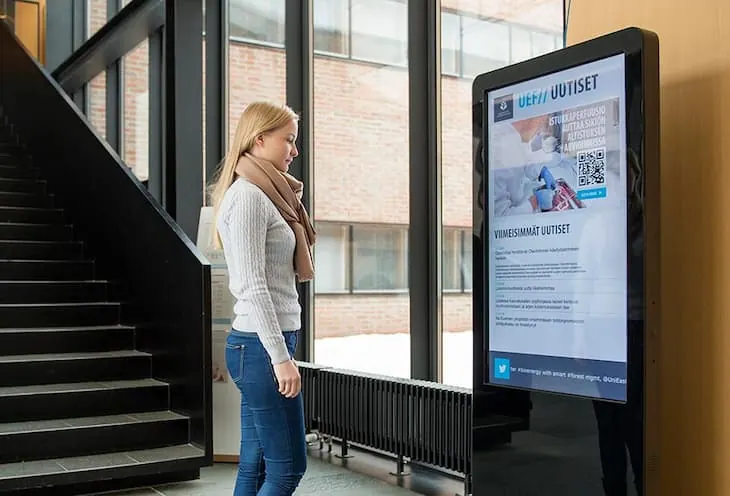
Keep students, teachers, and visitors informed. Show schedules, news, and announcements on screens throughout the building, and update everything centrally from your laptop.

  • No credit card required
  • Live within 3 minutes
  • No strings attached
Background Grid

The benefits

Everyone finds their way around the building

From schedule change to school news: with Stremo your message is on the right screen at the right moment — without costing you time.

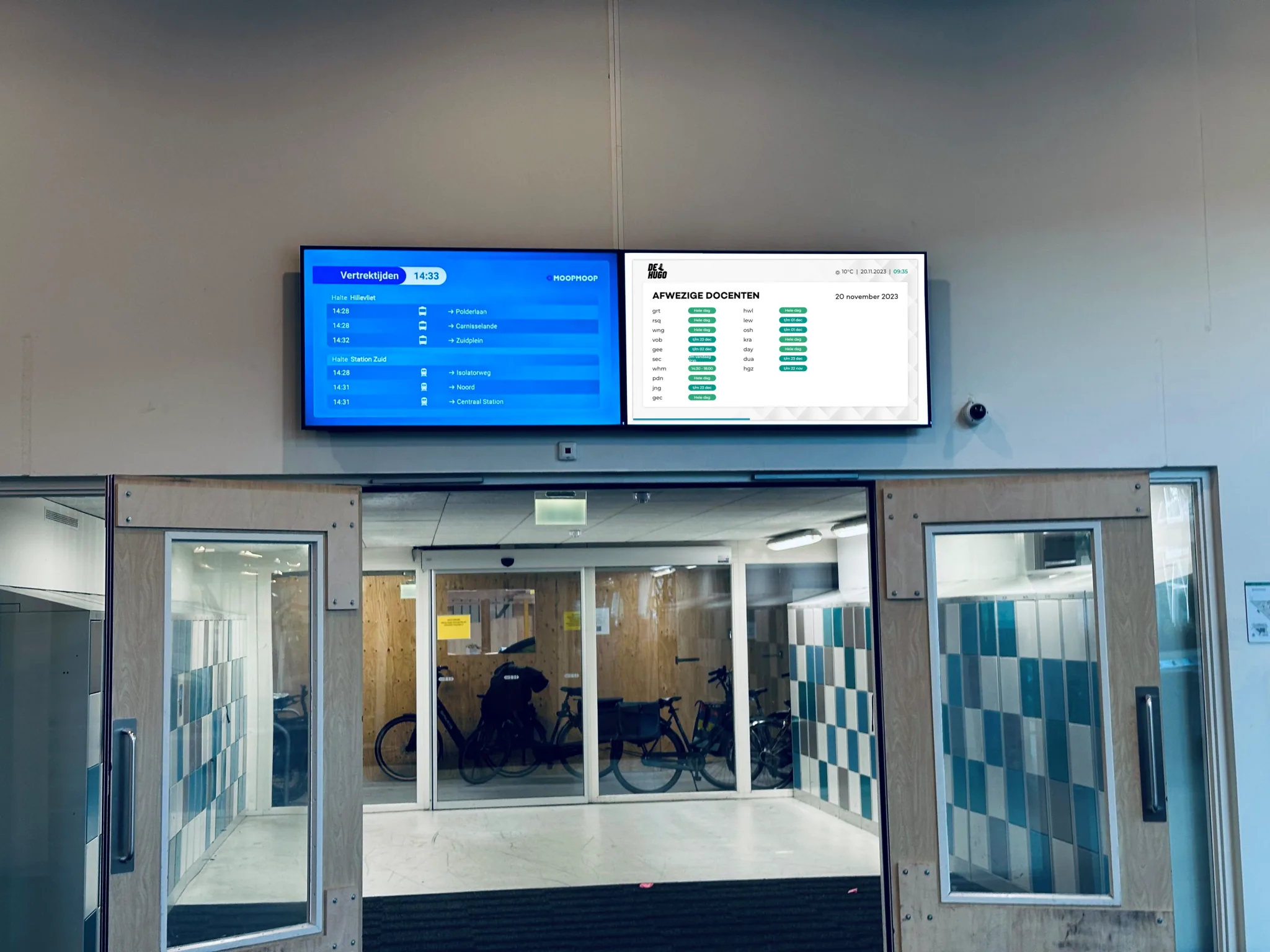
Class schedule on a screen in the school

Schedules always up to date

Show class schedules and room changes automatically, so everyone knows where to be.

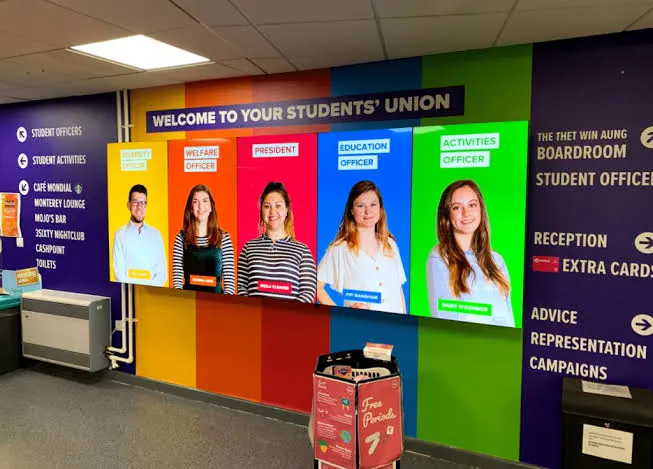
School news on an information screen

School news that stands out

Important news, events, or a congratulations: on screen everyone sees it.

Wayfinding on screen in the building

Find your way through the building

Point students and visitors the way with clear information on every screen.

Your first screen is running within 3 minutes

Connect your screen via our media player, dongle, or smart TV app. Choose a template, add your information, and publish. No IT department required.

  • Works on any TV or screen with HDMI
  • Ready-made education templates in your branding
  • Manage everything from your phone or laptop
See how Stremo works
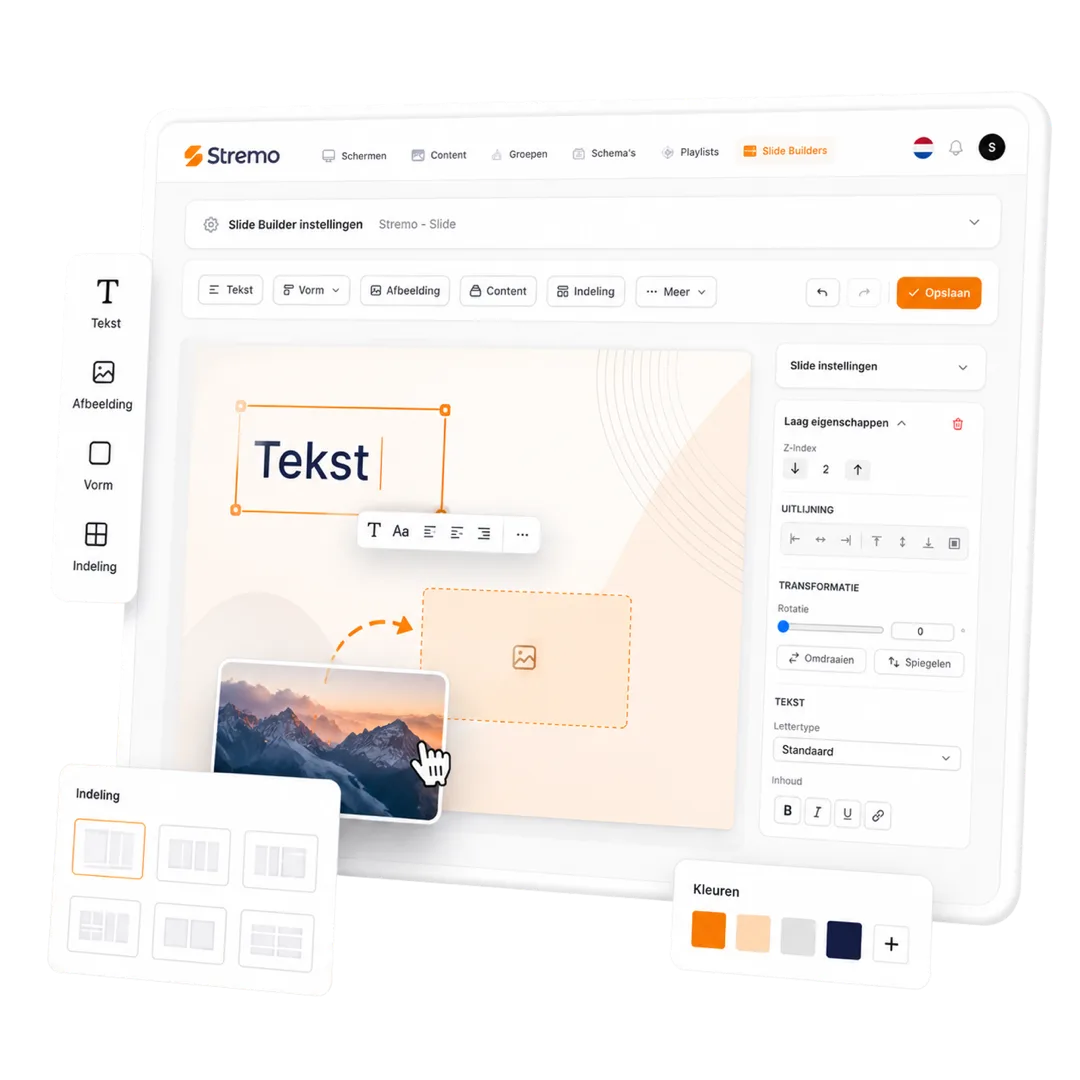
Choosing an education template in the Stremo Slide Builder

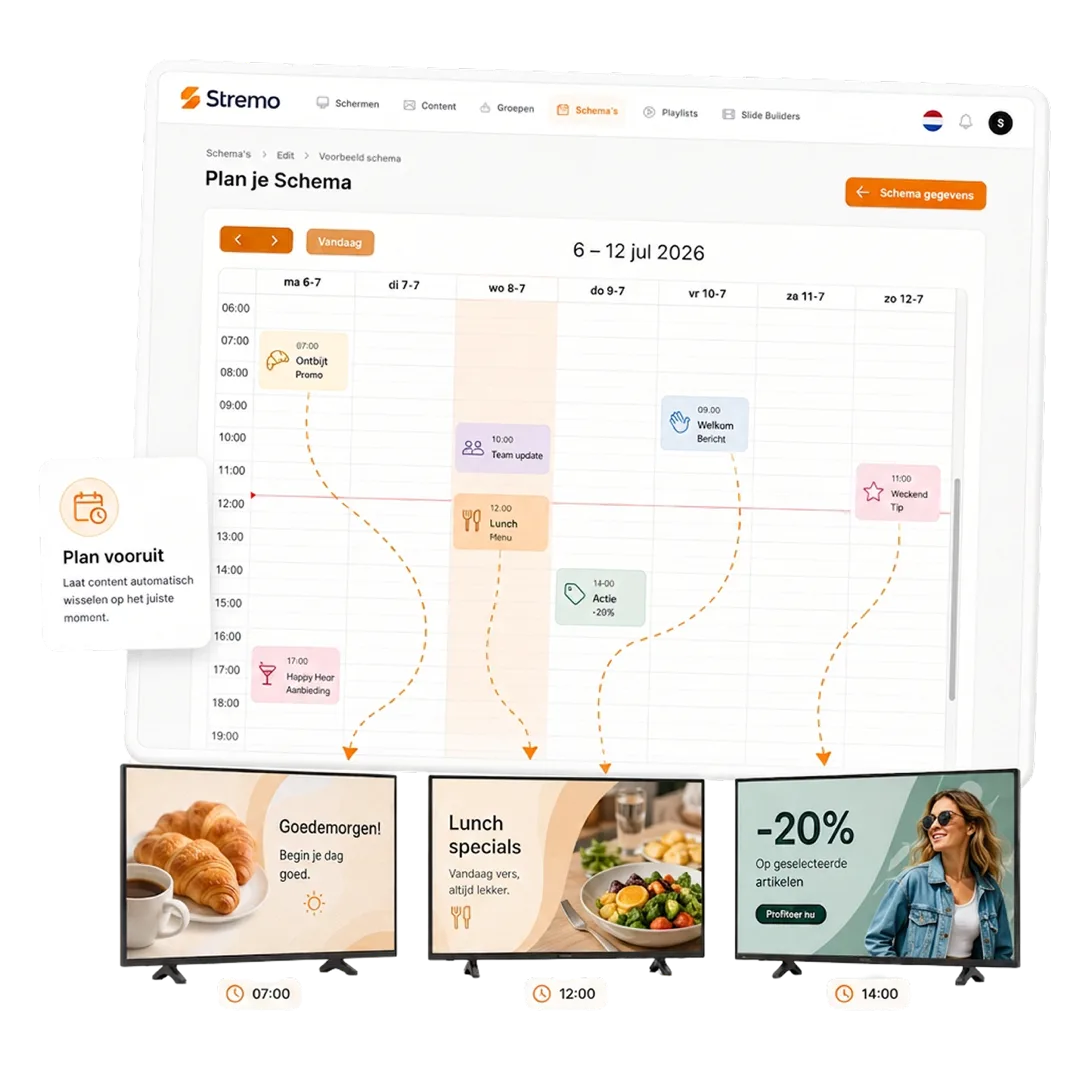
Plan your entire week ahead

Morning announcements, schedules, breaks, and events: with daily and weekly schedules you set it once and everything runs on its own after that.

  • Switches automatically by time of day
  • A separate schedule per building or department
  • Last-minute change? Live in seconds
More about scheduling
Weekly planning and times of day in the Stremo schedule

Connect your schedules automatically

Show class schedules from your scheduling system or a spreadsheet. One integration and your screens update automatically.

  • Schedules and room changes automatically up to date
  • News and calendar calmly in between
  • Always consistent in every building
More about calendar & scheduling
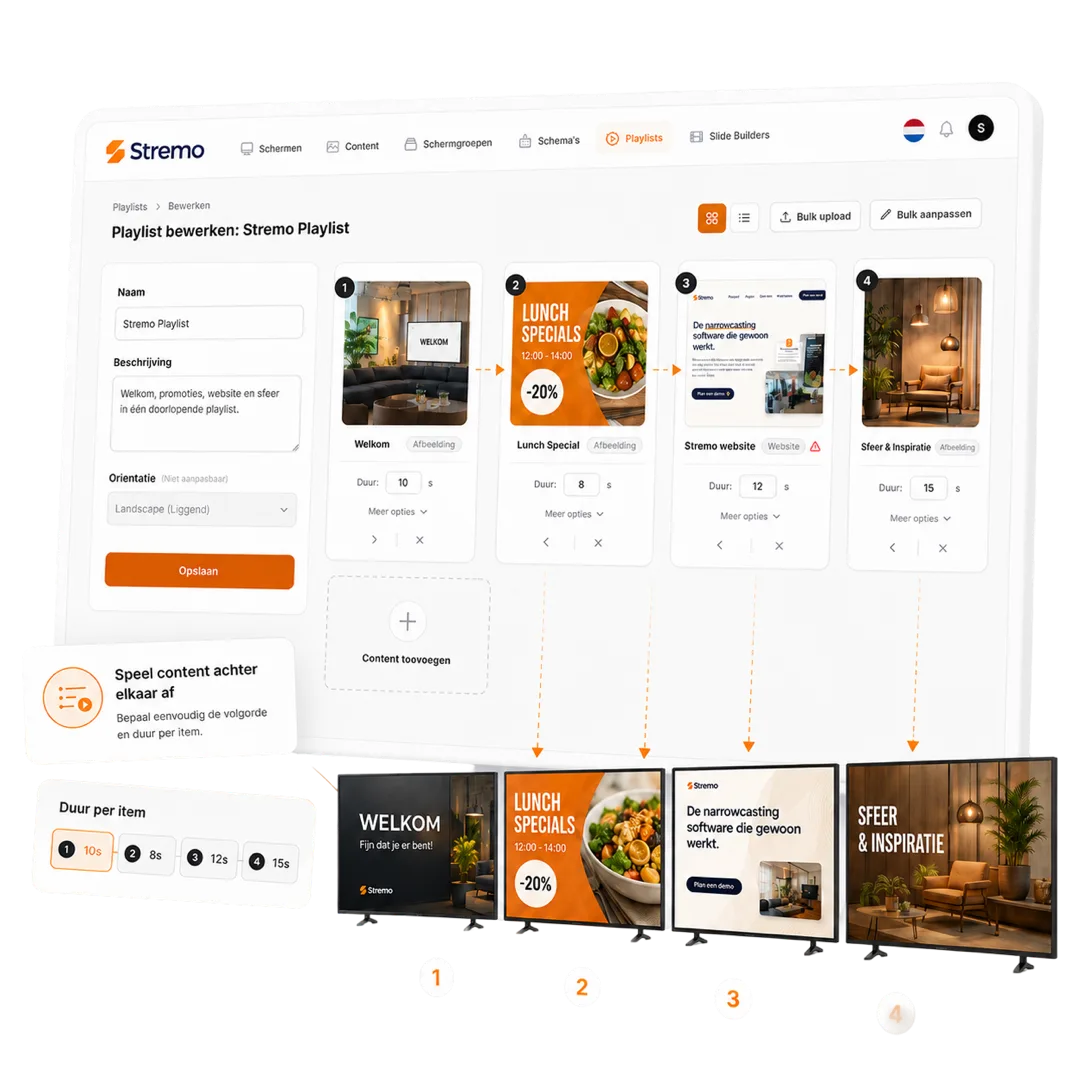
Organizing schedules and information in a Stremo playlist
4,6/5Trustpilot

Educational institutions already using Stremo

From elementary school to college: education teams keep everyone informed with Stremo.

★★★★★

"Our first slide was on screen within an afternoon. The templates are a huge time-saver and everything stays neatly in our branding."

Sander MeijerMarketing, De Boshoeve
★★★★★

"I had no design experience at all, but the drag-and-drop is self-explanatory. We now update our promotions ourselves every day."

Rianne VermeulenOwner, Café Central
★★★★★

"The real-time widgets are worth their weight in gold. The weather and our social feed stay automatically up to date on every screen in the place."

Jesse BakkerOperations, FitClub Noord
★★★★☆

"Great that we could reuse our existing Canva designs. That way we didn't have to start over and were live quickly."

Tom de KoningCommunications, Gemeente Velp
★★★★★

"With the playlists our content runs in exactly the right order. I set it once and never have to think about it again."

Nina GrootMarketing, Wellnessresort Duinzicht
★★★★★

"Thanks to the user roles, each location can manage its own screen while we keep central oversight. Ideal."

Bas WillemseIT management, RetailPunt
★★★★★

"With the monitoring I see right away when a screen goes offline. Before, I'd find out far too late."

Arjen de WitFacilities, Onderwijsgroep Zuid
★★★★★

"All our photos and videos are neatly organized in the media library. Finding and reusing them is no effort at all now."

Ramon SilvaContent, Sporthal De Kamp
★★★★★

"Scheduling content by time works just like a calendar. Something different in the morning than in the afternoon, fully automatic."

Ivo JansenManager, Grand Hotel Central
★★★★★

"The integrations with our existing tools saved us an enormous amount of work. Everything talks to each other without any hassle."

Jeroen MaasDirector, Bouwbedrijf Terra
Work Image

Thanks to Stremo we've given our organization a modern look. Our screens now always show up-to-date content, fully in our branding.

Author

Mike van der Born

Wiex Agency

How it works?

Get started today — here's how it works:

With Stremo you easily take the step to professional screen communication. Here's what the process looks like:

1. Create an account

Create an account and get instant access to the dashboard. No installation required.

2. Connect a screen

Connect a screen via our app or Stremo Player. Ready to use within a minute.

3. Set up your content

Drag your presentation, video, or schedule onto the screen. Instantly visible in the right layout.

4. Publish in real time

Select the content on the screens you want — it goes live instantly, no hassle with USB sticks.

Background Blush
Our pricing

Flexible plans for your organization

Our narrowcasting software is always tailored, so we deliver a solution that fits your needs. All prices exclude hardware.

Save ~20%

Free trial

For businesses that want a simple start with narrowcasting.

14 days free
Discover what's possible

Features

  • Stream to one screen
  • Use of basic modules (images and videos)
  • Manage 1 screen at a time
  • Stremo ad (1 slide + watermark)

Stremo Enterprise

More options and flexibility for your narrowcasting environment.

On request
Request a quote

Plus plan plus

  • Everything in Basic
  • Available from 10+ screens
  • Custom modules and integrations
  • Includes a permissions structure and multiple locations, with on-site delivery and installation

FAQ

Questions from education

1. Does Stremo work on the screens I already have?
Plus

Yes. Any TV or screen with an HDMI connection works with our Stremo Player. If you have a smart TV, you can often use our app directly.

2. Can I show our schedules automatically?
Plus

Absolutely. You connect your scheduling system or a spreadsheet, for example, so class schedules and room changes appear on your screens automatically.

3. How much time does managing it take per week?
Plus

Hardly any after setup: your schedule runs automatically. You post a new announcement in just a few minutes, even from your phone.

4. What does Stremo cost for multiple screens or locations?
Plus

You pay per screen and manage everything — including multiple locations — from one account. Check out the pricing for the details. Want to know how it compares to other solutions? Read what narrowcasting costs.

Didn't find your answer? Our team is happy to help.

Background Pattern

Get started today

Ready to get started with narrowcasting?

Discover how easy narrowcasting can be. Stremo helps businesses make information visible. Without the hassle.

Cta Image
User Image
Chat Image
Chat Image
Cta Image
Grid Background