Nov 12, 2026
Advertising on screens in your store: how to earn money with retail media
Retail media is growing fast. Learn how to sell screen time in your store to brands and suppliers, what to charge and how to manage it with digital signage.
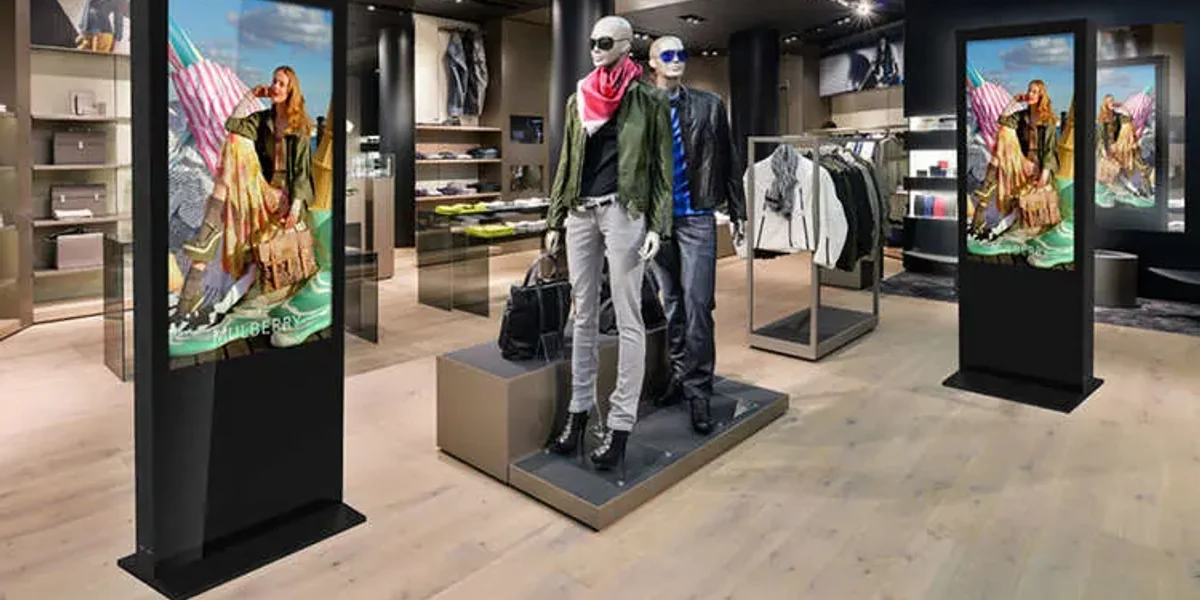
More and more brands want to advertise where the purchase happens: in the store. Supermarkets, drugstores and home improvement stores have been selling advertising space on their screens to suppliers for years. That's called retail media. But you don't have to be a big chain to make money from it. An independent store, gas station or gym can sell screen time too. In this article you'll learn what retail media is, how advertising on screens in your store works and how to approach it smartly.
What is retail media?
Retail media is advertising space that a retailer sells to brands and suppliers. Online, that means sponsored products in a webshop. In the store, it means screens at the entrance, in the aisles or at the checkout. A supplier pays to put their product in the spotlight, right before the customer makes a choice.
The market is growing quickly. According to IAB Europe, around €13.7 billion was spent on retail media in Europe in 2024, and that figure is expected to rise to almost €21 billion in 2026. Most of it still goes to online advertising. In-store screens receive relatively little budget, even though most purchases still take place in a physical store. That's exactly where the opportunity lies.
Why advertise on screens in your store?
For the retailer
- You earn extra income from screens you already have on the wall.
- Your investment in screens pays for itself faster.
- You strengthen your relationship with your suppliers.
- Your store looks more modern and lively.
For the brand or supplier
- The ad appears at the moment of purchase.
- You reach exactly the audience that visits that store.
- You can link a promotion directly to the product on the shelf.
Who can you approach as an advertiser?
Start close to home. The most logical advertisers are businesses that benefit when your customers buy their product or use their service.
- Suppliers and brands of products in your range.
- Local businesses that don't compete with you, such as a hair salon next to a gym.
- Service providers that suit your customers, such as an installer in a home improvement store.
- Events, clubs and local government initiatives in your area.
How to sell screen time: five steps
1. Map out your reach
Advertisers want to know what they're getting. How many visitors come in each week? How long do they stand near the screen? Where is the screen located? A simple overview with visitor numbers and photos of the screen locations is a good start.
2. Decide how much screen time you sell
Your screen belongs to you first and foremost. So don't sell the entire playlist, just a fixed share of it. A common split is roughly two thirds your own content and one third ads. That keeps the screen interesting for your customers.
3. Choose a pricing model
Keep it simple. Most retailers charge a fixed amount per week or per month for a spot in the playlist. You can also create packages, for example one screen for a month or all screens during a promotional week. The bigger your reach, the more you can charge.
4. Put agreements in writing
Agree on how long an ad lasts, how often it plays, who supplies the content and in what format. Also record how you'll show that the ad has actually run, for example with an overview of the schedule and photos of the screen.
5. Schedule and measure
Schedule ads for the moments when they deliver the most. An ad for coffee works better in the morning, an ad for beer on Friday afternoon. Ask the advertiser whether they see an increase in sales. That's your best argument for a follow-up campaign.
How to manage it with digital signage
With digital signage software like Stremo, you add third-party ads to your playlist just as easily as your own content. With schedules you decide which ad runs on each day or part of the day. With screen groups you choose which screens or locations show a campaign. And with user permissions you decide who can change what. That way you stay in control of what appears on your screens.
Are you a reseller or do you manage screens for multiple stores? Then you can use screen groups and permissions per location to sell campaigns across multiple stores as well. That makes your offer more attractive to larger brands. Read more about in-store screens in digital signage for retail and in digital signage in retail: from attention to purchase.
Keep these ground rules in mind
- Follow the Dutch Advertising Code (Nederlandse Reclame Code) and the specific rules for products such as alcohol.
- Make sure ads don't compete with your own offering or with each other.
- Keep the quality high. Poor ads make your entire screen less appealing.
- Be clear to customers about what is advertising and what is information from the store.
Frequently asked questions
How many screens do I need to get started?
You can start with one well-placed screen. The more visitors and screens you have, the more interesting it becomes for advertisers.
What can I charge for an ad?
That depends on your visitor numbers, the screen location and the campaign length. Start with a fixed amount per month and adjust based on the results.
Do I have to create the ads myself?
No. The advertiser usually supplies the content. Do agree on the dimensions and duration in advance, though. With the Slide Builder you can also create an ad yourself for a local partner.
Let your screens earn their keep
Retail media isn't just for the big chains. With a few well-placed screens and clear agreements, you earn extra from screens you already have. With Stremo, you schedule your own content and ads in one place. Request a demo or try Stremo free for 14 days.